After successfully registering, the interface of the mobile client will be shown.
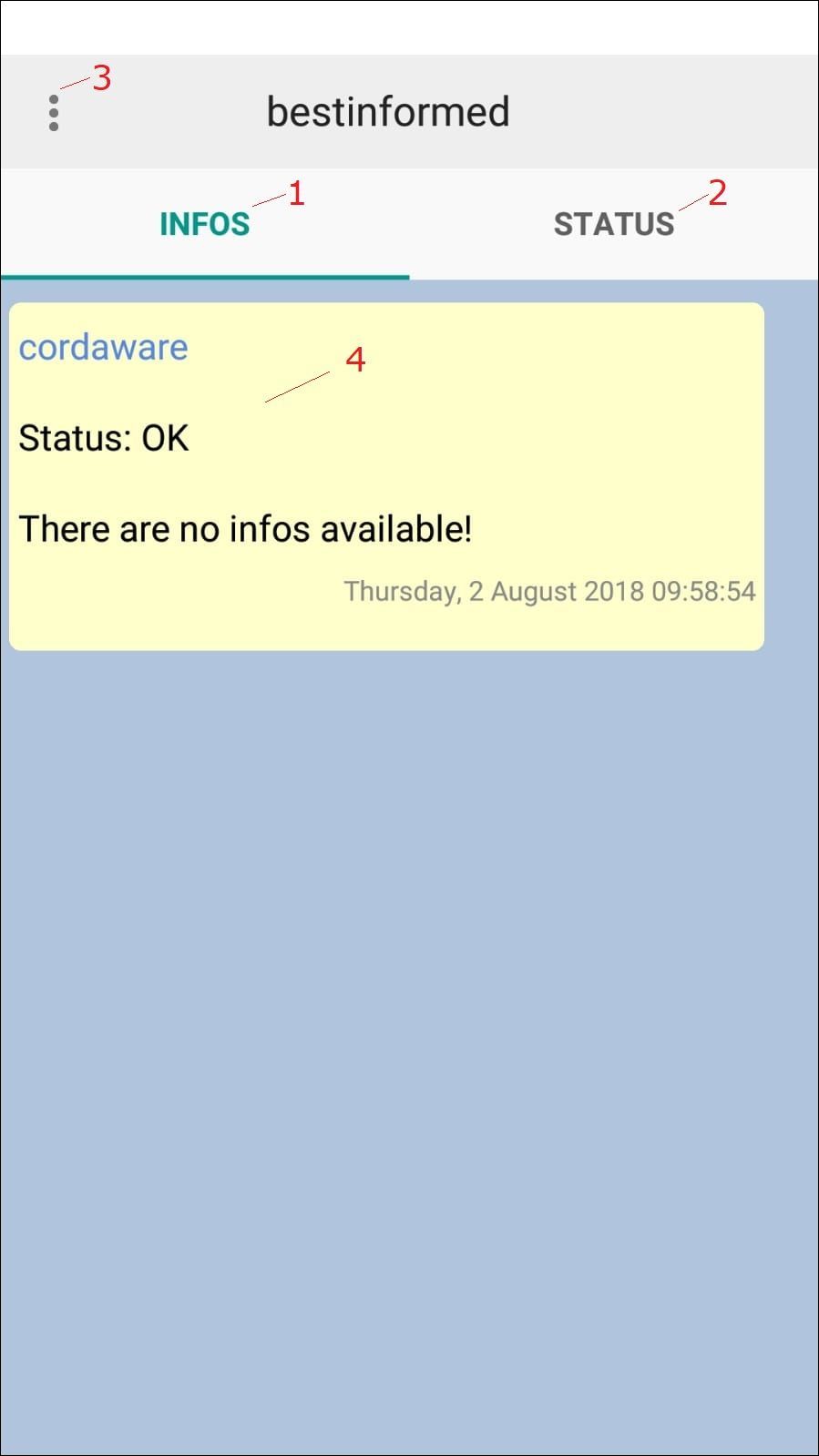
(1) Infos |
The received Infos will be displayed in here. |
(2) Statusinfos |
The Statusinfos will be shown here. |
(3) Menu |
The menu can be opened via this button. |
(4) Notification |
This Notification shows, that currently no new Infos are available. |
The button in the top left corner will open the menu:
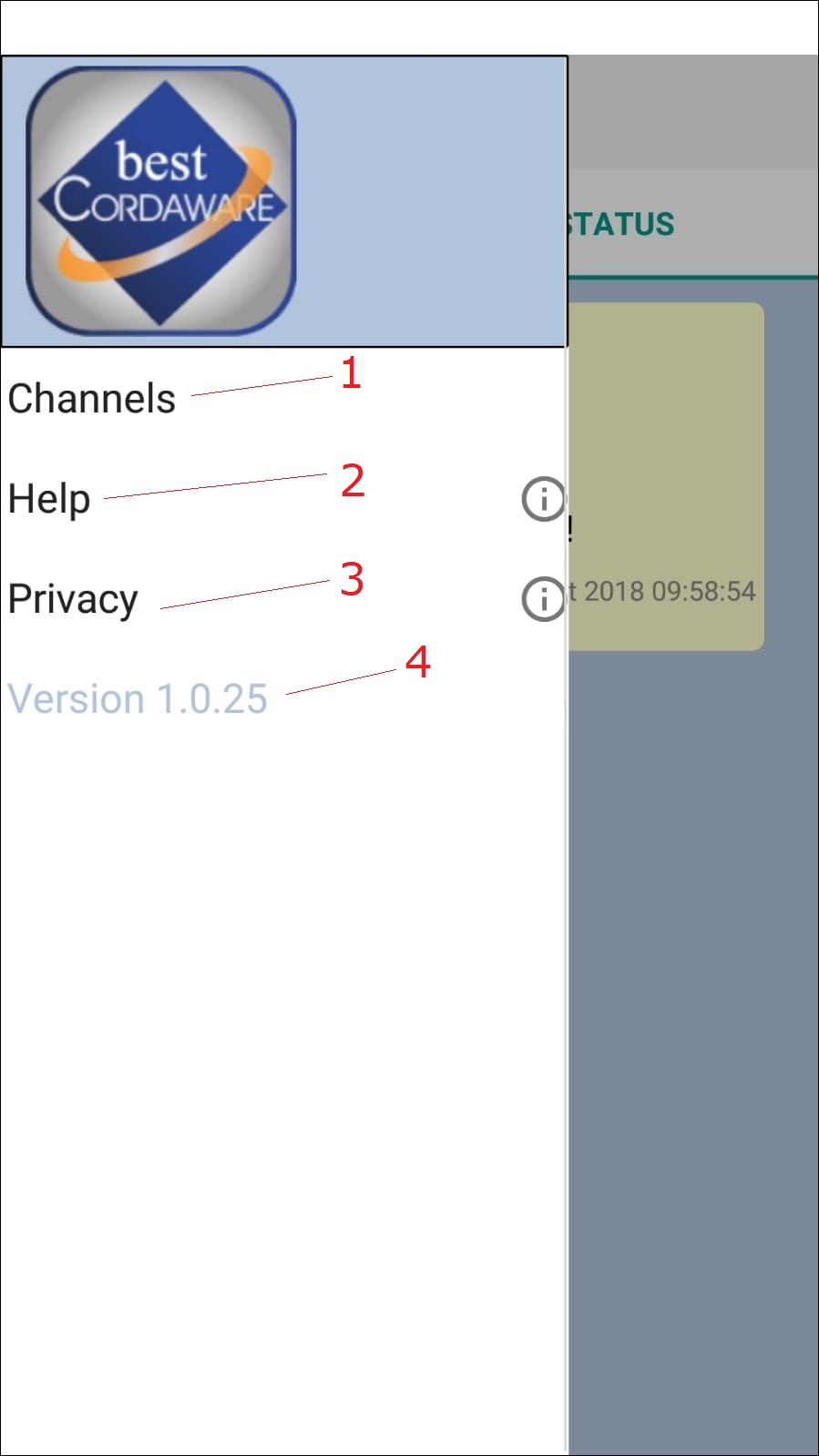
(1) Channeloverview |
Opens the overview of the existing channels. |
(2) bestinformed FAQ |
Opens the Cordaware bestinformed FAQ. |
(3) Version |
Shows the version of the mobile client. |